Spring, Tween, Keyframes, and AnimationSpec Explained

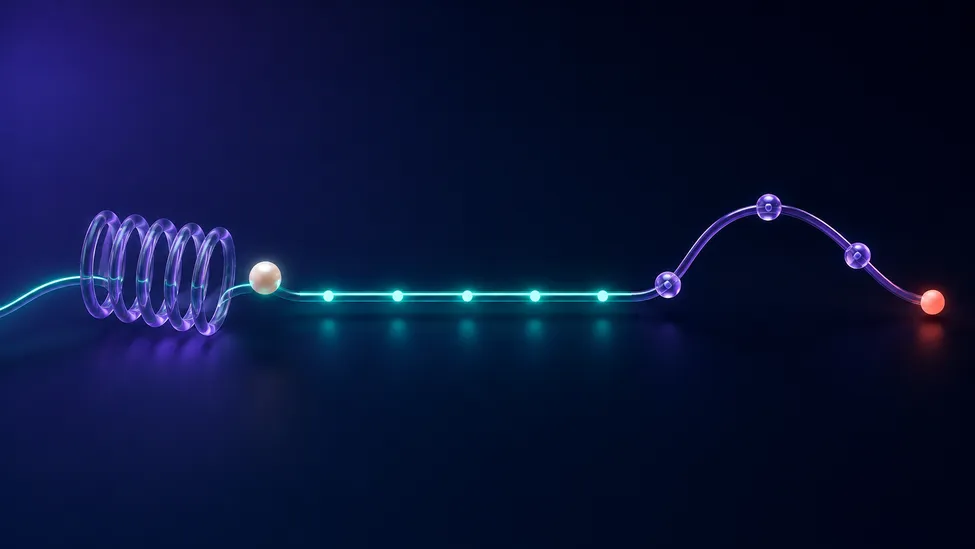
AnimationSpec answers one question: how should a value travel from its current state to its target? It does not start an animation by itself. You pass a spec to an API such as animateFloatAsState, an Animatable, or a Transition when the motion needs a particular character.
For most UI work, the decision is simple:
| Need | Best starting point | Why |
|---|---|---|
| Natural movement that handles changing targets well | spring() | Physics-based motion responds to distance and velocity rather than a fixed clock. |
| A predictable, scheduled duration | tween() | You choose the duration, delay, and easing curve. |
| Deliberate intermediate poses at exact moments | keyframes() | You place values at points on a timeline. |
| No visible interpolation | snap() | The value changes immediately, optionally after a delay. |
Compose exposes these as implementations of AnimationSpec. The important distinction is that a spring is not just a tween with a different easing curve: a spring has no fixed duration. Compose estimates when it has visually settled from the current value, target, velocity, stiffness, and damping.
Start with intent, not a favorite spec
Use a spring when the motion should feel attached to the interface: a selection indicator, a card returning after a drag, a control growing into focus, or a target that may change before the previous animation finishes. Use a tween when the duration is part of the design: a short fade, a synchronized transition, or a sequence that must finish with another timed event.
Use keyframes only when the middle of the journey matters. A notification badge that overshoots at a particular beat is a good candidate. A normal button fade usually is not.
Many Compose animation APIs use a spring by default, as the Compose animation quick guide notes. That is a useful default, but making the spec explicit is worthwhile when timing or motion character is part of the interaction design.
Spring: tune feel with damping and stiffness
A spring animates toward a target like a physical spring. Its two main controls are:
- Damping ratio controls how much the value bounces.
Spring.DampingRatioNoBouncyis critically damped; smaller values allow more overshoot. - Stiffness controls how quickly the spring reacts. Larger stiffness feels tighter and settles sooner.
This produces a composed, no-bounce scale change without inventing a duration:
import androidx.compose.animation.core.Spring
import androidx.compose.animation.core.animateFloatAsState
import androidx.compose.animation.core.spring
import androidx.compose.runtime.getValue

val scale by animateFloatAsState(
    targetValue = if (selected) 1f else 0.96f,
    animationSpec = spring(
        dampingRatio = Spring.DampingRatioNoBouncy,
        stiffness = Spring.StiffnessMedium,
    ),
    label = "selection-scale",
)
The Spring reference defines presets such as DampingRatioMediumBouncy, StiffnessLow, and StiffnessMedium. Start with a preset before supplying custom numbers. A spring that is too soft can make controls feel delayed; a very stiff spring can look abrupt.
Because the finish time is physics-derived, avoid a spring when another event must happen at exactly 250 milliseconds. It is excellent for responsive interaction, not for a strict external timeline.
Tween: choose a duration and an easing curve
A tween moves over a known duration. Its TweenSpec accepts durationMillis, delayMillis, and an Easing; its default easing is FastOutSlowInEasing.
import androidx.compose.animation.core.FastOutSlowInEasing
import androidx.compose.animation.core.animateFloatAsState
import androidx.compose.animation.core.tween
import androidx.compose.runtime.getValue

val alpha by animateFloatAsState(
    targetValue = if (visible) 1f else 0f,
    animationSpec = tween(
        durationMillis = 180,
        easing = FastOutSlowInEasing,
    ),
    label = "message-alpha",
)
This is a good fit for a brief fade because the product requirement can be expressed clearly: it lasts 180 ms and decelerates into place. The tween API is also a practical choice when several properties need to reach their targets on the same schedule.
Do not treat easing as decoration. It changes the perceived weight of the UI: an ease-out reaches the destination quickly and settles gently, while linear motion tends to look mechanical. Choose it for the interaction, then keep it consistent across related components.
Keyframes: specify the moments that matter
Keyframes are duration-based too, but they let you name intermediate values. The transition below gives an expanding panel a purposeful overshoot halfway through; closing uses a simpler tween.
import androidx.compose.animation.core.FastOutSlowInEasing
import androidx.compose.animation.core.LinearOutSlowInEasing
import androidx.compose.animation.core.Transition
import androidx.compose.animation.core.animateFloat
import androidx.compose.animation.core.isTransitioningTo
import androidx.compose.animation.core.keyframes
import androidx.compose.animation.core.tween
import androidx.compose.runtime.getValue

enum class PanelState { Collapsed, Expanded }

fun panelScale(transition: Transition<PanelState>): Float {
    val scale by transition.animateFloat(
        transitionSpec = {
            if (PanelState.Collapsed isTransitioningTo PanelState.Expanded) {
                keyframes {
                    durationMillis = 320
                    1.08f at 160 using FastOutSlowInEasing
                    1f at 320 using LinearOutSlowInEasing
                }
            } else {
                tween(durationMillis = 180)
            }
        },
        label = "panel-scale",
    ) { state ->
        if (state == PanelState.Expanded) 1f else 0.92f
    }

    return scale
}
With keyframes, the animation API supplies the starting and target values; the spec defines what happens between them. You can apply an easing to a point with using, and the keyframes documentation also supports atFraction when you prefer a fraction of the duration. Set durationMillis before atFraction.
Keyframes are useful for a designed multi-stage motion, but they are a poor substitute for natural interaction. If the midpoint exists only to make a value “feel nicer,” try a spring first.
Keep each API in its lane
The spec shapes a value; the animation API decides the scope and lifecycle.
- Use
animate*AsStatefor one state-driven value. See howanimate*AsStateworks in Compose. - Use
updateTransitionwhen multiple values must stay coordinated for the same state change. ThisupdateTransitionguide shows that pattern. - Use
Animatablewhen a coroutine or a gesture needs imperative control; it is especially useful when initial velocity matters. - Use
rememberInfiniteTransitionfor a deliberately ongoing visual such as a loading shimmer, not a state transition that should finish.
repeatable() wraps a finite spec a defined number of times. infiniteRepeatable() is for an animation intended not to finish. In contrast, APIs such as Transition.animate* require finite specs, so do not pass an infinite repeat spec to a screen-state transition.
A reliable selection checklist
Before writing the code, answer these questions:
- Must the motion finish at a known time? Choose a tween or keyframes.
- Might the target change mid-flight, or should it preserve physical momentum? Choose a spring.
- Does the design require a specific middle pose? Choose keyframes.
- Is this a continuous decoration rather than a state change? Use an infinite transition deliberately.
This keeps animation decisions tied to behavior instead of a collection of magic durations.
Common mistakes
Giving springs a hidden timing requirement
A spring can be fast, but it does not promise a fixed finish time. If a fade must align with a navigation or media timeline, use a tween or keyframes.
Adding keyframes for a simple two-state transition
Every extra keyframe is another visual commitment to maintain. Prefer a tween for a known schedule and a spring for natural movement. Reach for keyframes when you can describe why a particular intermediate pose exists.
Using an infinite spec for a finite state transition
An infinite animation never reaches its target. Keep it in rememberInfiniteTransition; use finite tween, spring, keyframes, or repeatable specs for transitions that need to complete.
Putting animation configuration in business state
Screen state should say Expanded, Loading, or Selected. The composable decides which AnimationSpec presents that state. This separation keeps the ViewModel independent of rendering details.
FAQ
Is spring better than tween in Jetpack Compose?
Neither is universally better. Use spring for responsive, physical-feeling state changes and tween when a design needs a fixed duration and easing curve.
When should I use keyframes instead of tween?
Use keyframes when the animation needs a deliberate intermediate value at an exact point in time. If only the start, end, duration, and easing matter, a tween is clearer.
Can I repeat a spring animation?
repeatable() wraps duration-based finite specs such as tweens and keyframes. A spring is finite but physics-based rather than duration-based, so use it directly for responsive state changes. Use infiniteRepeatable() only for visuals meant to continue indefinitely, and keep it out of finite Transition animations.
The practical rule
Choose a spring for responsive feel, a tween for predictable timing, and keyframes for intentional beats between start and finish. When that choice is made from the interaction’s purpose, the rest of the Compose code stays small and easy to tune.